 Feature Tour
TRUEHOUR is the financial operating system for equipment owners. It builds your machine profile, owning costs, operating costs, and overhead into one defensible cost per hour — then carries that number through estimating, jobs, and reporting. The trusted source equipment owners run their business on. Built for owner-operators and small contractors, not enterprise rental fleets.
Know Your True Cost. Price With Confidence.
TRUEHOUR calculates your real operating cost before you quote the job.


What's in the 2-minute tour
Jump straight to the chapter that answers your question. Each chapter deep-links into the video on YouTube.
- 0:00
1. What is TRUEHOUR?
TRUEHOUR is a cost intelligence app for equipment-based small businesses. It replaces spreadsheets with a guided workflow that produces a true hourly cost.
- 0:18
2. Why most contractors undercharge
Without a complete owning, operating, and overhead picture, contractors quietly subsidize every billable hour and lose money on otherwise busy jobs.
- 0:38
3. Owning & Operating cost, calculated correctly
The app walks you through owning costs (depreciation, insurance, financing, taxes), operating costs (fuel, maintenance, repairs, wear), and overhead allocation — using the U.S. Army Corps of Engineers EP 1110-1-8 method.
- 1:10
4. Your true hourly rate
TRUEHOUR shows the break-even number every operator needs before quoting work, plus a recommended billing rate with adjustable margin.
- 1:35
5. Price jobs with confidence
Estimates flow forward from your equipment cost, so every quote reflects reality. Track estimated vs actual and refine pricing over time.
- 1:55
6. Get TRUEHOUR
30 days of full access on iPhone and Android — no credit card required. Calculate your true cost in 2–3 minutes — no spreadsheet required.
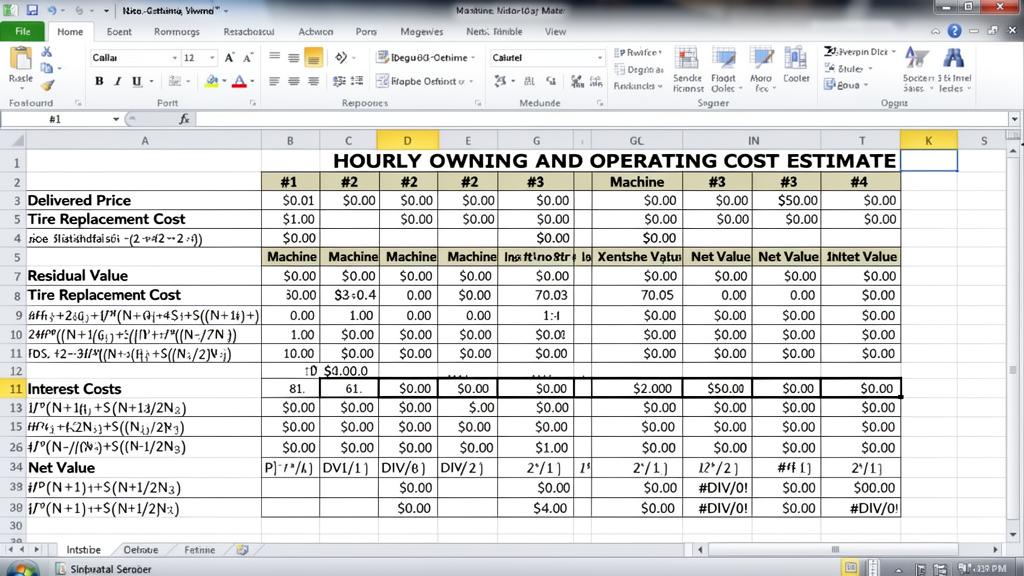
Why Do Spreadsheets Break Equipment Pricing?
How do I know where to start?
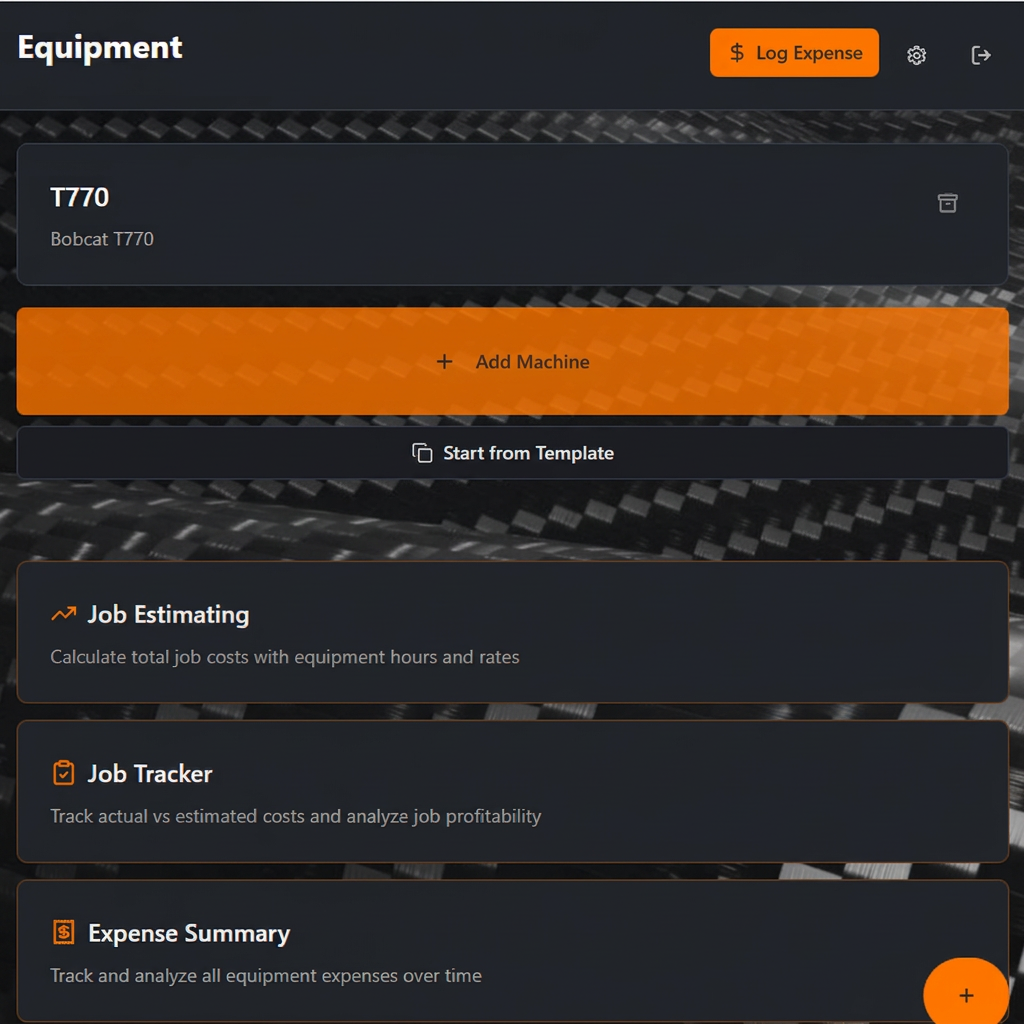
- Step-by-step guided workflow
TRUEHOUR walks you through each cost category in order.
- No spreadsheet logic required
Just enter what you know—the app handles the math.
- Costs flow forward automatically
Equipment costs feed directly into job estimates.
- Everything in one place
Equipment, overhead, jobs, and expenses—organized.
Start with your equipment, add your overhead, and build job estimates—all from a single dashboard.
What does my equipment really cost per hour?
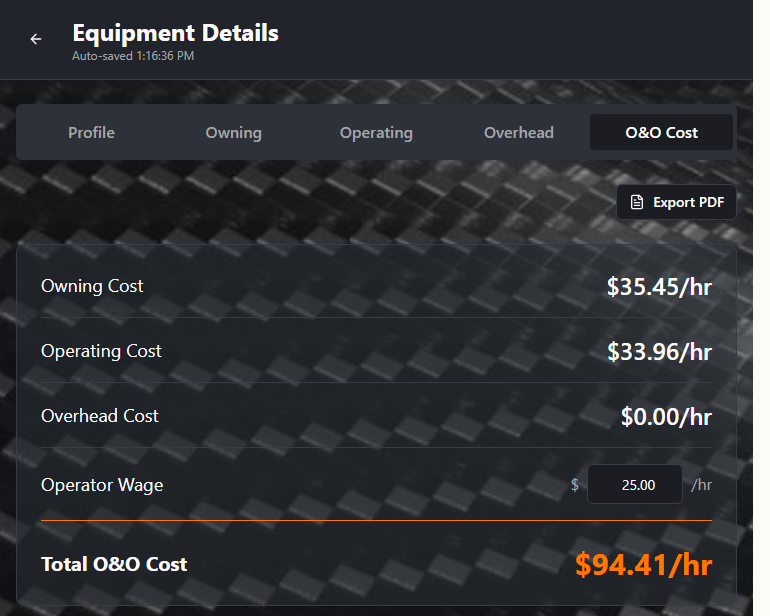
- Complete cost breakdown
See owning, operating, overhead, and operator costs separated.
- Your true hourly rate
Know exactly what your machine costs before you quote.
- No hidden assumptions
Every input comes from you—no bundled industry averages.
- Per-mile or per-hour
Track costs the way your business actually bills.
Owning & Operating costs are calculated per machine using your inputs—giving you the true cost to recover on every job.
How do I account for overhead in my pricing?
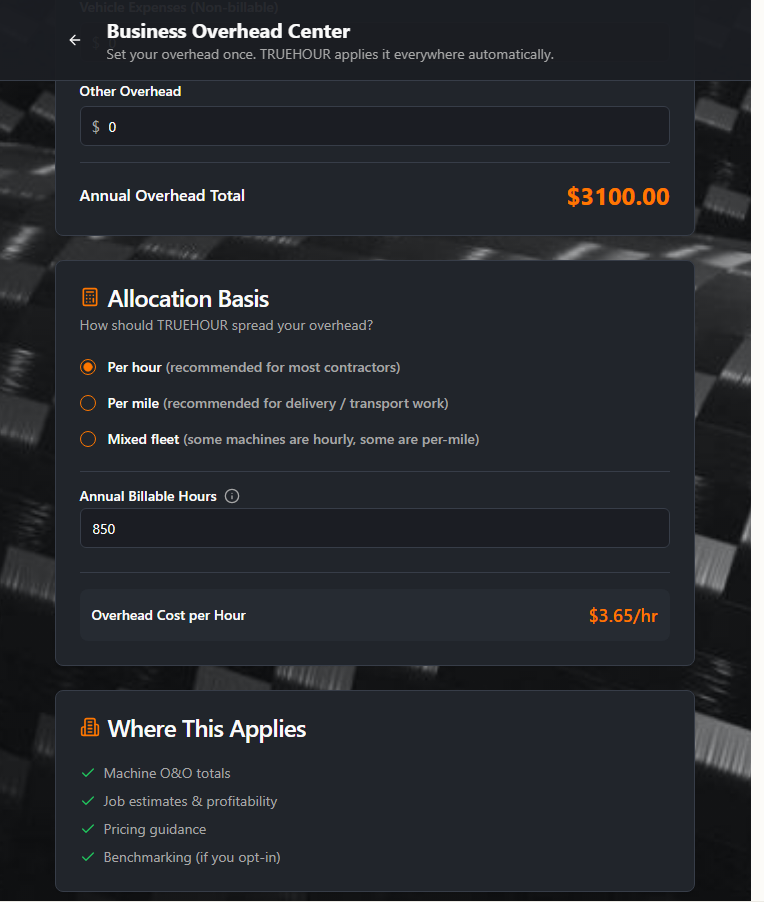
- Calculated once, applied everywhere
Enter your business overhead in one place.
- Auto-allocated to equipment
Overhead is distributed based on billable hours.
- Always current
Update overhead once and it flows to all machines.
- No double-entry
Stop re-entering the same costs in multiple spreadsheets.
Your business overhead is calculated at the business level and automatically applied to every machine—no manual allocation needed.
How does overhead show up in my equipment costs?
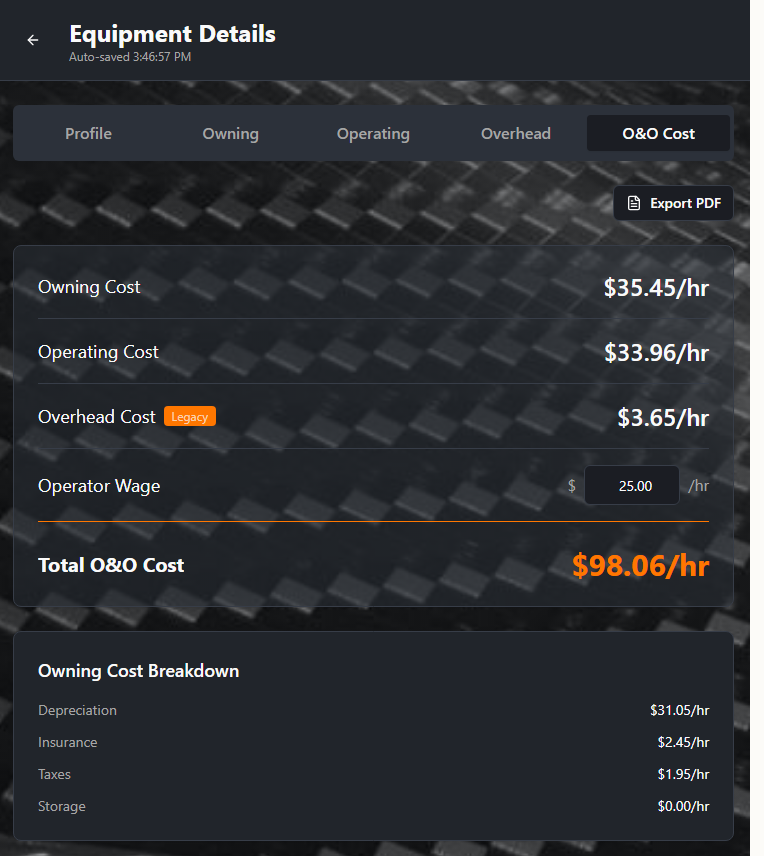
- Overhead auto-applied
Each machine shows its share of business overhead.
- Complete cost picture
See owning + operating + overhead + operator in one view.
- Ready for job estimating
These costs flow directly into your quotes.
When you look at any machine, you'll see exactly what it costs to own, operate, and support—with overhead already included.
How do I build a quote I can trust?
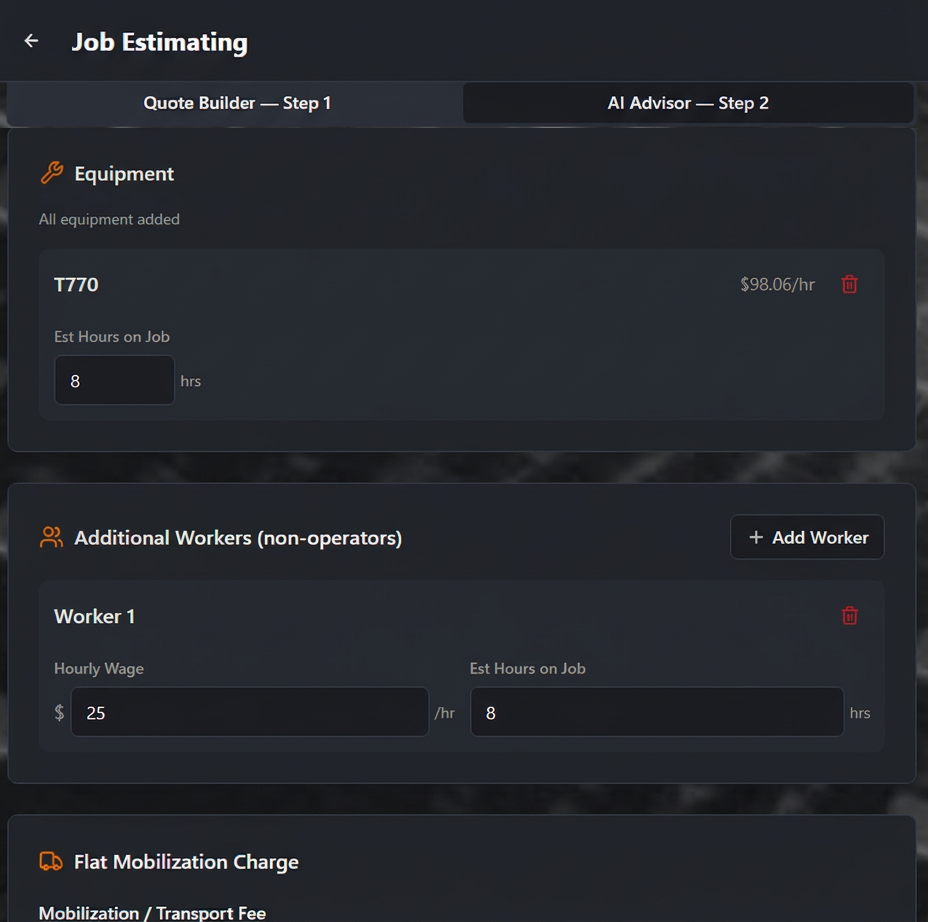
- Built from real costs
Job estimates pull directly from your calculated O&O costs.
- Equipment + labor + transport
Include everything that affects the job.
- No more guessing
Every line item is backed by your actual numbers.
- Save and share
Export professional estimates as PDF or CSV.
Job estimates are built directly from your actual machine, labor, overhead, and transport costs—so you can quote with confidence.
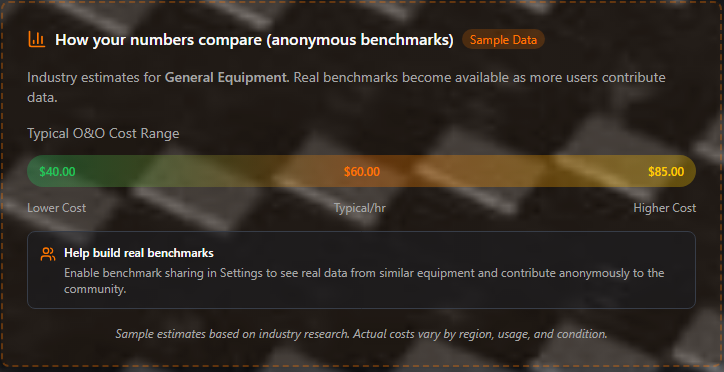
How do my costs compare to others?
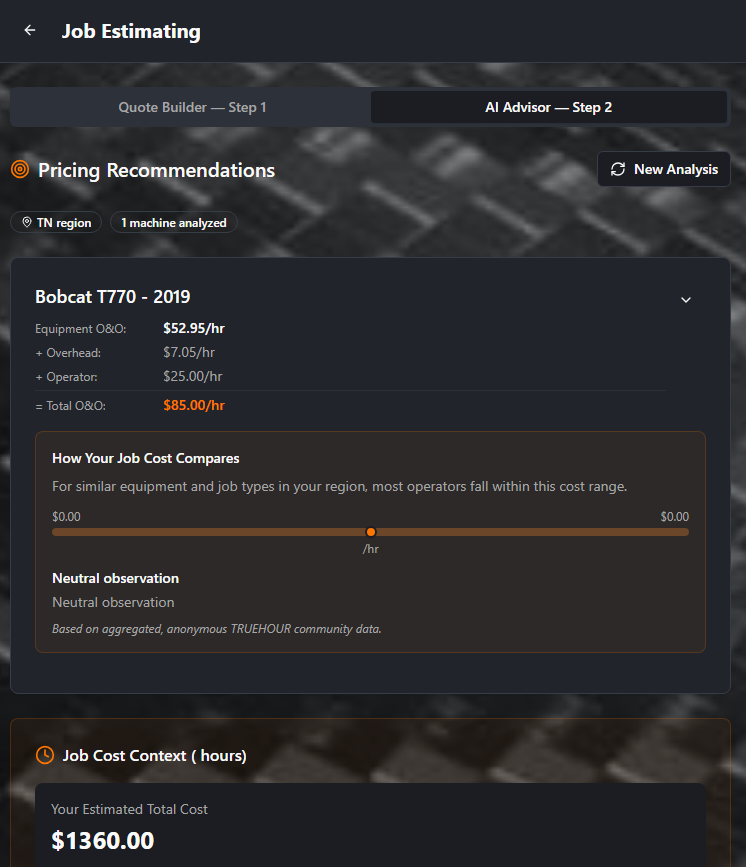
Based on aggregated, anonymous TRUEHOUR community data.
- See typical ranges
Compare your costs to aggregated TRUEHOUR community data.
- Regional context
Benchmarks reflect your state or region.
- Context, not advice
Benchmarks help you understand—you make the decision.
Benchmarks are based on aggregated, anonymous data from the TRUEHOUR community—providing context, not prescriptions.
How do I know if I'm pricing profitably?
- Break-even hourly rate
Know the minimum you need to charge to cover costs.
- Adjustable profit margin
Slide to set your target margin and see the rate change.
- Cost sensitivity analysis
See how fuel, repairs, or hours affect your bottom line.
- Job-level profitability
Track which jobs made money and which didn't.
The Profitability Engine (Pro) shows you exactly what to charge to hit your margin goals—and helps you learn from every job.
What Do You Get With TRUEHOUR?
Start with 30 days of full access to everything — no credit card required. Continue with Pro to keep full functionality.
30 Days of Full Access (no credit card)
Every new user starts here.
- Every TRUEHOUR feature, from day one
- Unlimited machines and projects
- No paid subscription starts automatically
- Your data is retained after 30 days
Pro ($14.99/mo or $149.99/yr)
Keep full functionality after 30 days.
- O&O cost, overhead, and cost-per-hour for every machine
- Expense tracking & summaries
- Job tracking & actual vs estimated
- AI Job Analysis
- Benchmark contribution & insights
- Advanced reporting & exports
Who Is TRUEHOUR Built For?
- Owner-operators running 1-3 machines
- Service businesses using equipment or vehicles
- Side-hustle contractors pricing weekend work
- Anyone tired of spreadsheet-based pricing
Stop guessing. Know your cost.
30 days of full access. No credit card required.
Want to understand the economics? See why TRUEHOUR works